Role
Product Designer
Year
2019-2020
Industry
Blockchain
BitTorrent Speed
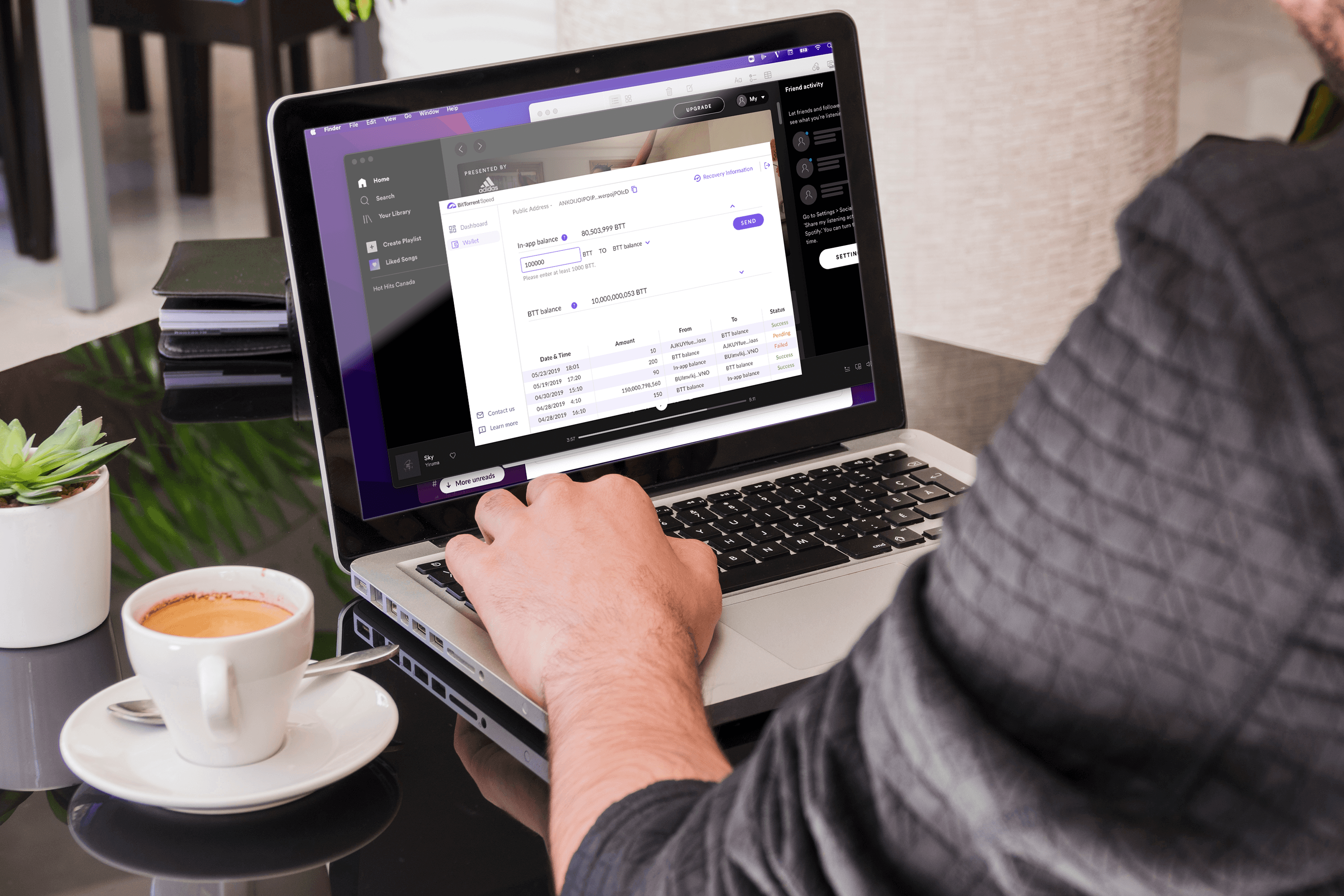
uTorrent is the world's most popular torrent software with over 170 million users. BitTorrent Speed is an integrated feature that lets users earn BTT tokens by seeding files and spend them to boost download speeds. This project focused on redesigning the BitTorrent Speed onboarding flow, wallet creation, and dashboard experience. View live
Terminology
Problems
Many existing and new users of BitTorrent/uTorrent users don’t really know the BitTorrent Speed exists, and when they know, unique selling points which are BitTorrent Speed value propositions are not introduced instantly through the setting up process. Besides that, all the core features are difficult to understand at first glance and there weren't any strong call-to-action, including wallet creation flow, wallet import flow, exchange features, earning - spending, seeding, import-recovery.
Wallet Access Survey
The survey was conducted to gather feedback from existing users on the previous added features of BitTorrent Speed including Speed dashboard and wallet.
Survey Questions
The survey was conducted to gather feedback from existing users on the previous added features of BitTorrent Speed including Speed dashboard and wallet.
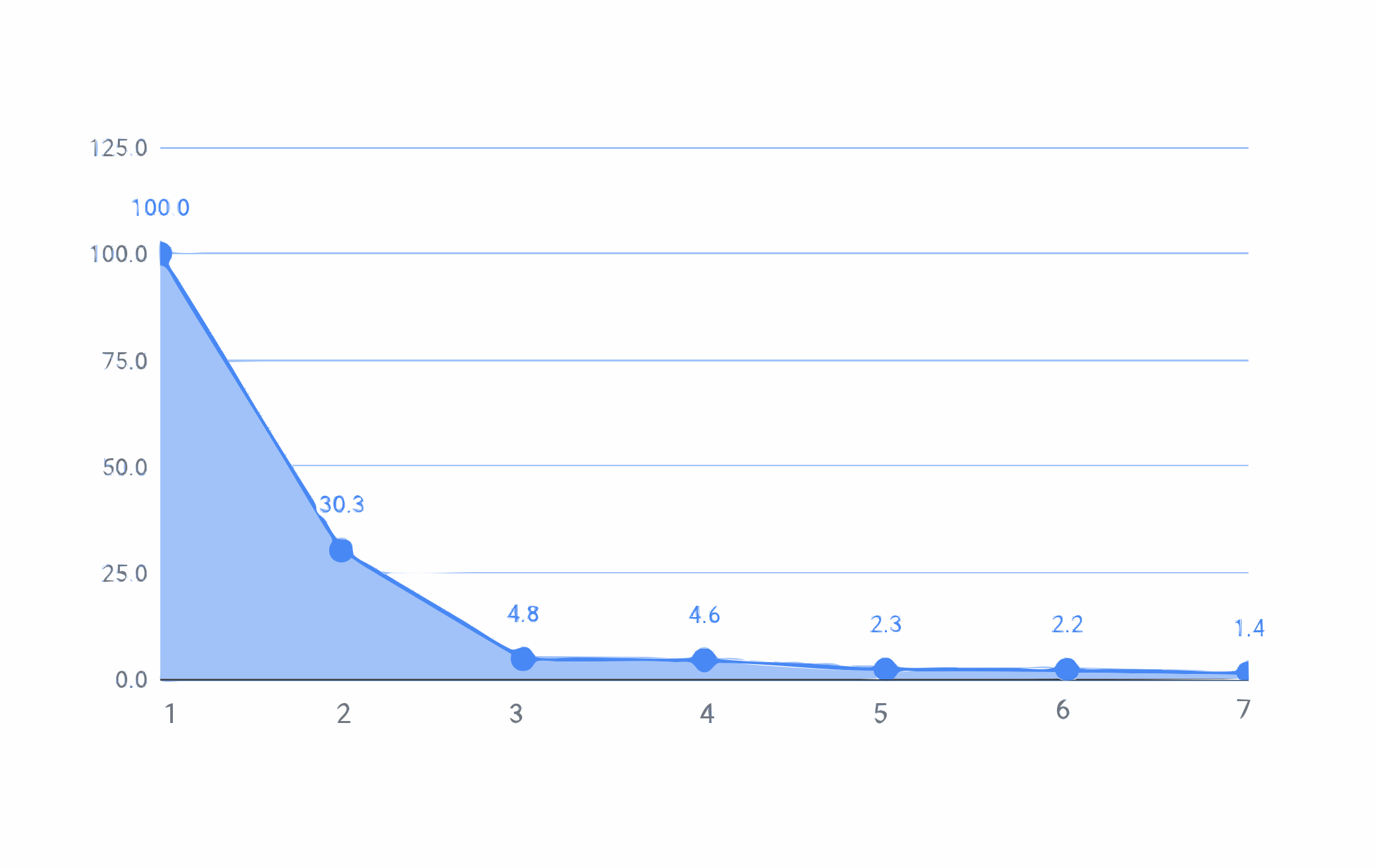
Conversion Funnel
1. Email sent: 1950
2. Opened: 2914
3. Clicked: 943
4. Landed: 893
5. Started: 447
6. Downloaded: 434
7. Finished: 281
User Screening Findings
>80% of users understand the concept of "Seeding"
~35% of users don’t seed or seed rarely
>80% understand crypto, and >50% are active users of a crypto wallet
70% of users understand the concept of crypto exchange
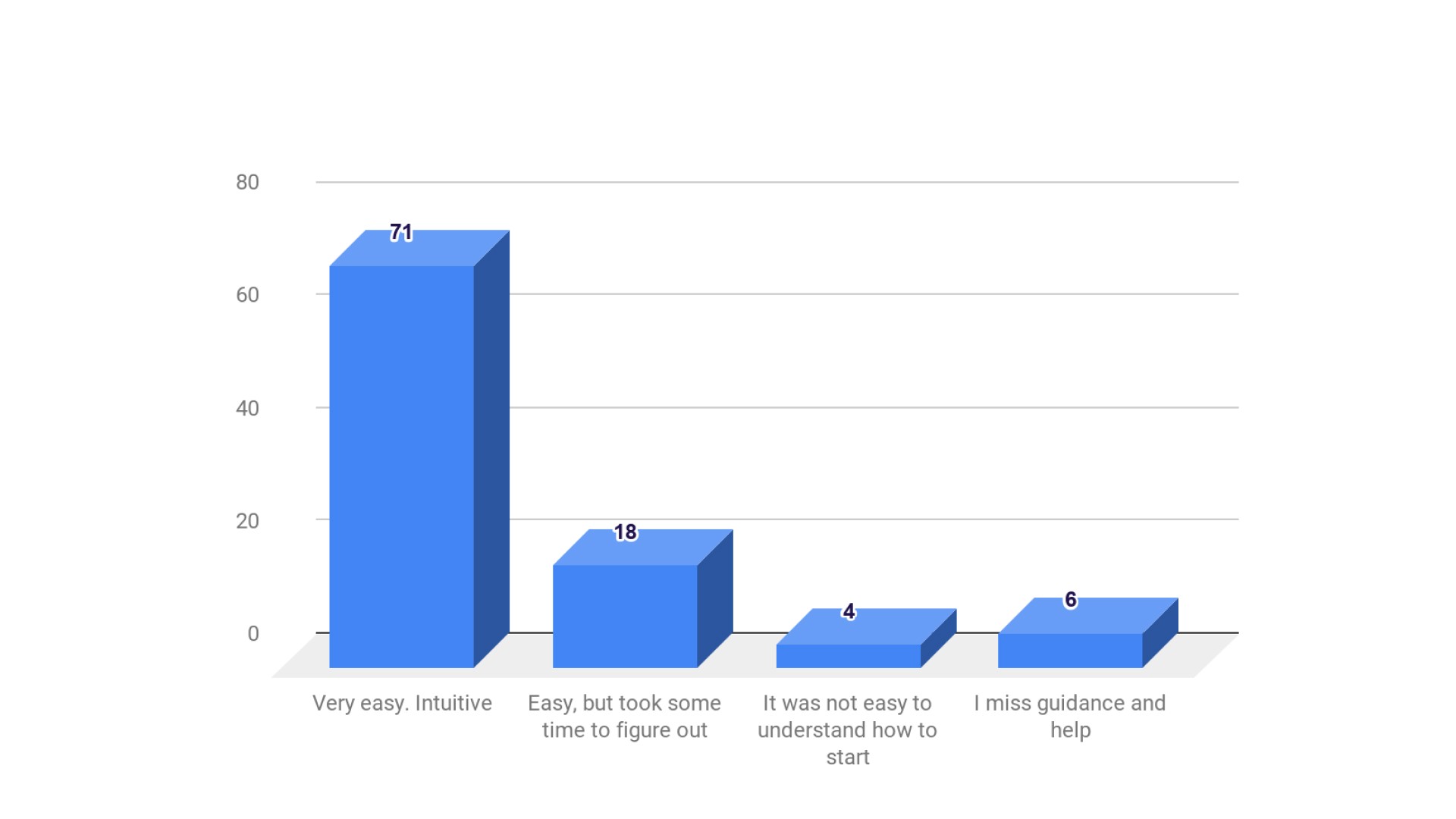
10% of users experiences troubles with launching BitTorrent Speed

26% of users experience troubles with understanding Speed widgets

31% had troubles with understanding how to set up the Wallet

23% experienced troubles with understanding Exchange interfaces
Real Feedback
Note: These are real comments with original punctuation and grammar.
General
Wallet setup flow
Application interfaces
Summary and Learned Points
Most of the feedback is positive. Respondents claimed that interfaces look “familiar” and intuitive, they don’t experience any troubles with understanding or taking any actions.
Though, the key areas for improvement are:
Education & help: security & safety rules, introduction to the product, daily tips, extended guidelines on the web, more customer support, etc.
Application visual style: should be minimized, be responsive, look more “sexy”.
Specifics of BT Speed: download speed, speed increase, peers, data is confusing, etc.
Spendings/earnings controls and reports: users want to have more detailed information.
Proposed Solution
BitTorrent Speed is for users so they can download faster as well as earn BTT for seeding torrents. While Speed functions individually as a new product, user onboarding, and user education were lacking, which in turn led to low user engagement. Introducing in-product onboarding to provide users a brief guide to cryptocurrency terminology and BitTorrent Speed core features along with improving dashboard interfaces, wallet creation flow, and wallet interfaces will believe to improve user engagement.
Personas
Based on survey results, we set up 2 personas. We referred to them throughout the entire product development process of in-product onboarding.
Classic user: earn as much as possible
Torrenting expert: Download faster. Get access to rare content
Classic User

Torrenting Expert

Market Research
Market research was conducted on four crypto platforms: Currency.com, Coinbase, Bison, and Bitfinex. The research focused on a number of areas which all combine to help determine what the best practices would be for BitTorrent Speed considering our personas' wants and needs.
Currency.com
Coinbase
Bison
Bitfinex
Learned Points and Strategies
UX Patterns
1. Greeting
This is the first contact between the user and the application - introduction as it is an important moment to say a friendly “HI!”. This is when a mascot or character can become a direct subject of communication with users. This shall be made to be as short and quick as possible to not distract users too much from the essential info.
2. Information (the most precious part of the product onboarding)
"Aha moments" need to come in place.
3. Engagement
These builds are necessary for users to engage with the main features - buttons, dragging, tooltips, checklist, visually engage (gifs, animation).
Tips
Tooltips & hotspots to draw attention to specific elements
Progress bar/ability to skip is important since users should know where they’re at and how long is the onboarding path.
Skipping option for users who do not need it/is already familiar with the application. This depends on the target audience.
Visual Strategies
1. Brand identity
Maintaining brand identity throughout the onboarding flow as applying a mascot/character or consistent visual style will help imitate the flow of real communication with the user and set emotional bonds.
2. Custom images or illustrations
Illustration becomes the center of the composition and its aim is to present a specific feature or benefit in an attractive and easily decodable way, especially for walk-throughs.
3. Animation (nice to have)
Catch user attention, make important details more noticeable. Downside: increase time and traffic to load. This might be pushed back due to implementation constraints.
Testing
PlaybookUX for messaging and visuals
Internal feedback for other illustration elements
Userflow
The user flow was determined, reviewed, and updated many times throughout the design process. Please disregard the inconsistency of this user flow compared to the final designs.

Medium-fidelity
Mid-fidelity was prototyped to visually reflect the user flows. It was used to present the proposed solutions to stakeholders for early feedback. It was also used for usability testing.

Usability Testing
After determining the onboarding flow, we conducted unmoderated usability testing on PlaybookUX with 3 participants to gather more feedback for better improvement. We also wanted to learn more about the initial reactions of the updates of the wallet creation flow. The testing helped us to withdraw many insights, and from there, we updated our high-fi based on participants' suggestions and our prioritized items.

Summary of insights
Onboarding
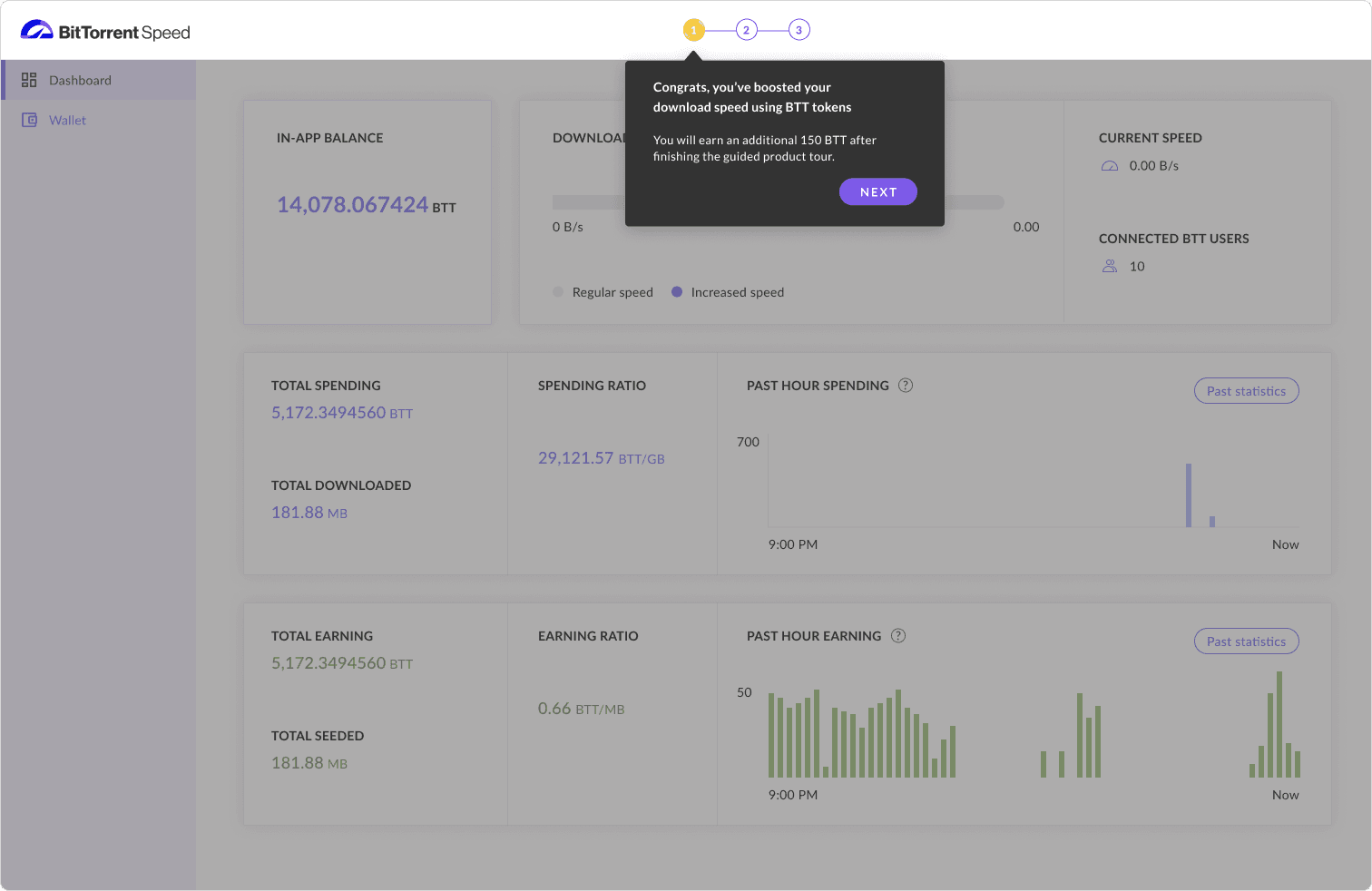
Adding 150 BTT rewards into onboarding flow. This will be deposited into the wallet when/if a wallet is created. (Version B)
Highlight wallet recovery information for personas who didn’t/forgot their seed phrase.
Dashboard
Additional sections of data info on Spending and Earning, including amount, the ratio of the amount per unit of data, and past statistics.
Wallet creation
Adding confirmation of seed phrase as a required step and include visual indications of the importance of keeping Seedphrase offline secured
Design Guidelines
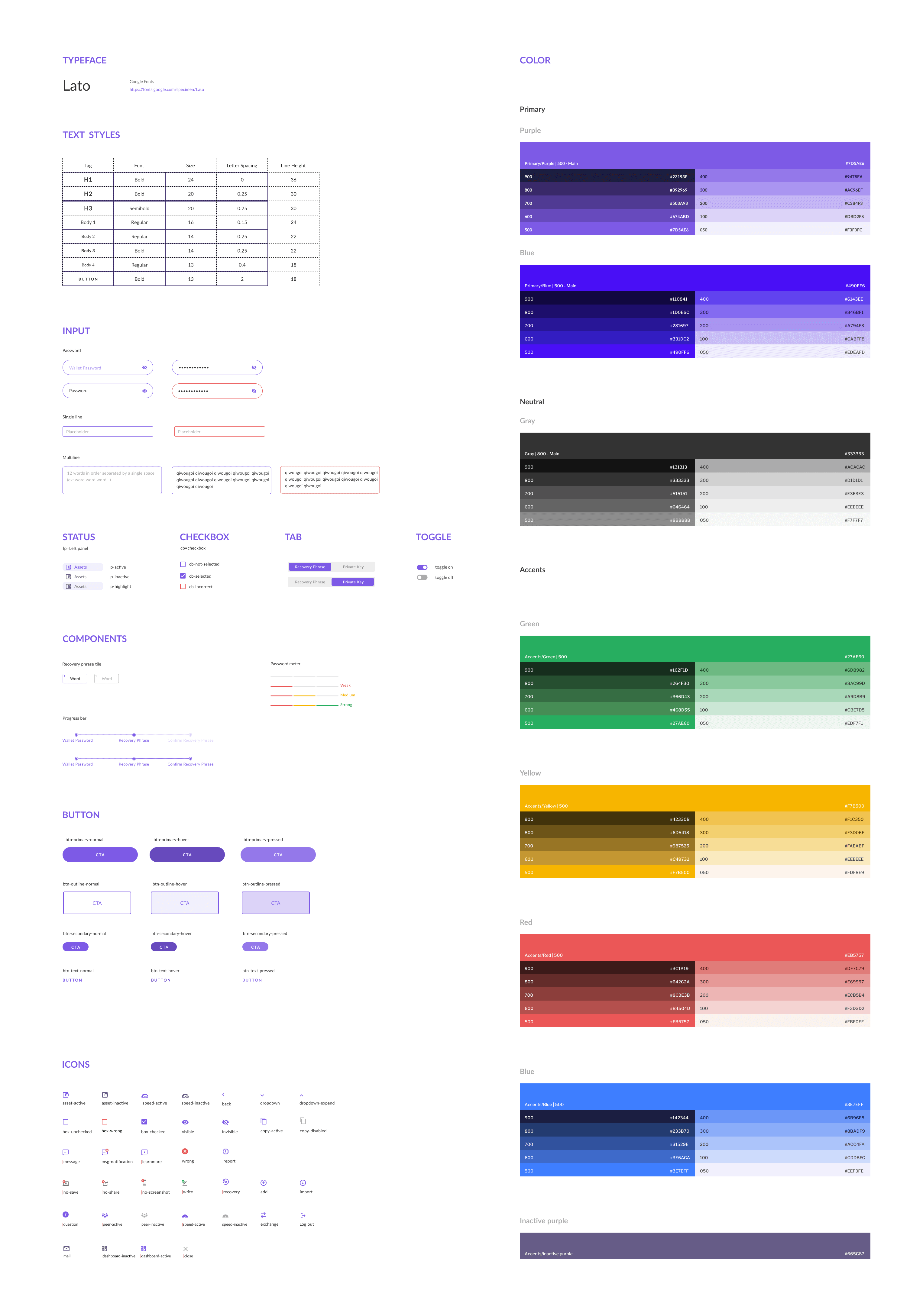
The Design Guidelines were developed to maintain UI consistency across all screens. This was also the initial step in developing a global design system that would be used for all products within the BitTorrent ecosystem.
Onboarding and user activation
Value Proposition Screens
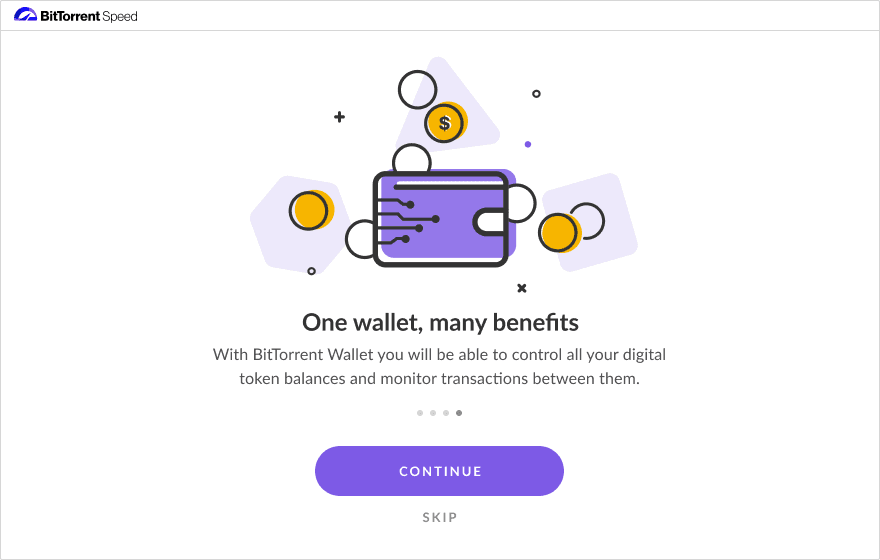
This step was to upgrade the first time user experience and driving towards user activation. Starting with user onboarding, we added value proposition screens to provide users information on the benefits of using Speed.


Next, we tested two onboarding experiments against the control (no onboarding). The A version was a traditional wizard-style tour ending with a CTA to set up a wallet. The B version was an action-based system + tour where setting up a wallet was required for users to continue using Speed.
Version A. Wizard-style onboarding


Version B. Action-based Onboarding

Results
Both A and B versions tested better than control but the action-based system. Version B however converted 66% better with our activation metric (creating a wallet) than the wizard-style tour, version A.
Deliverables
The deliverables are presented in two flows: Onboarding flow and Wallet Creation flow.
Action-based onboarding
STep 1
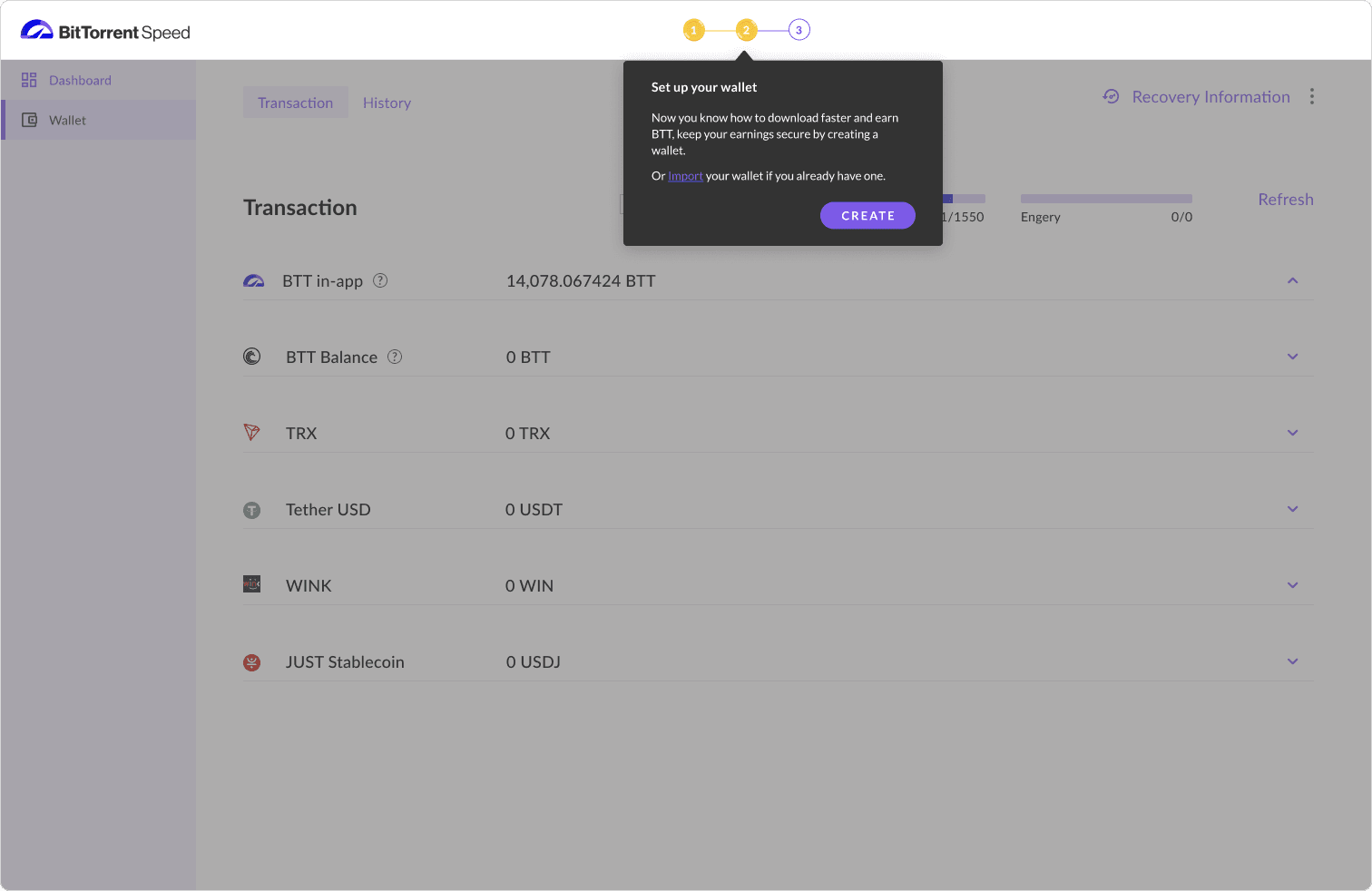
Step 2

Step 3

Gammification
Dashboard

Wallet setup flow if skipped from onboarding
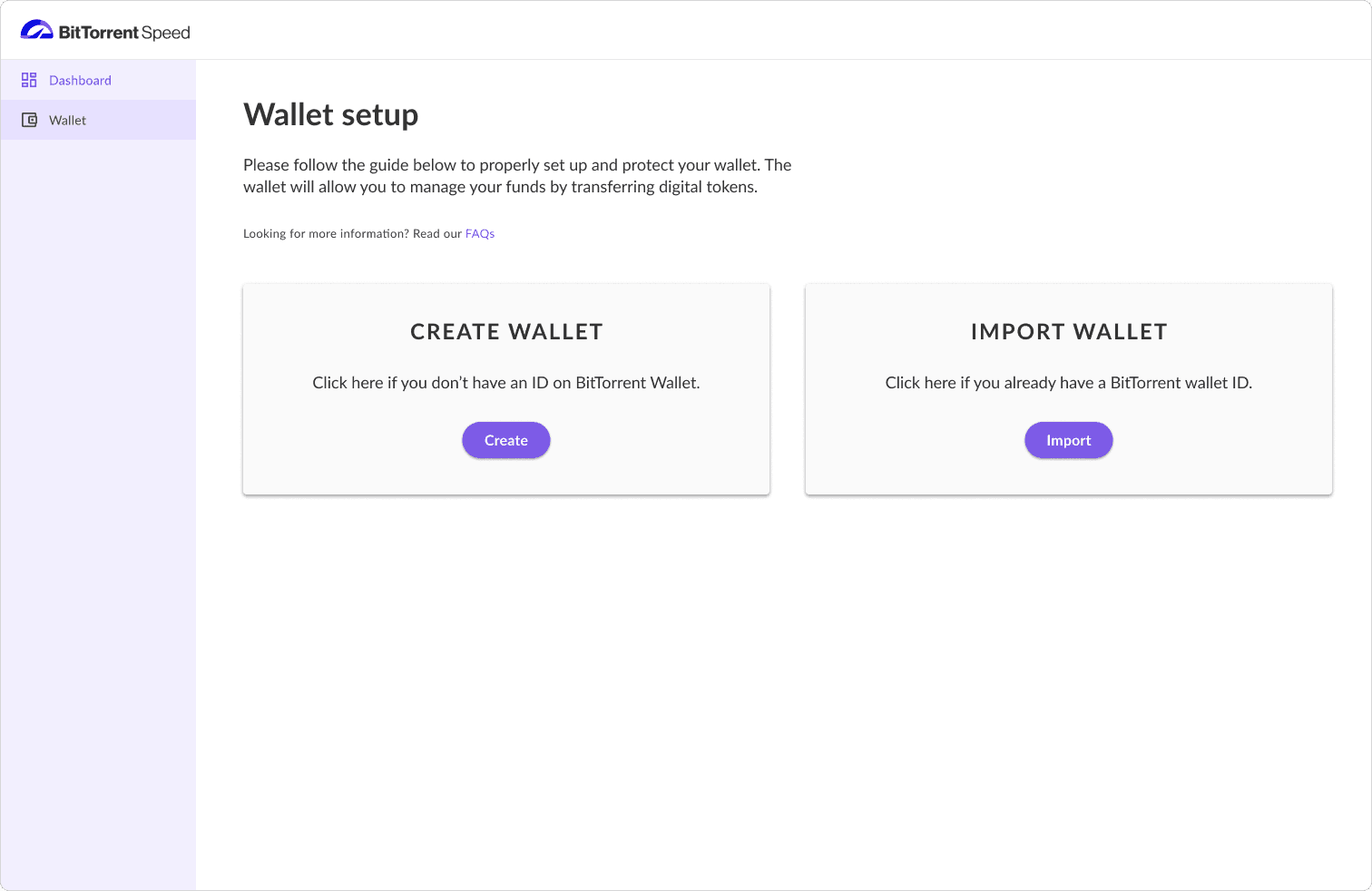

Create Wallet

Import Wallet
Wallet Interfaces