Role
UX Designer
Year
2020 - 2021
Industry
B2B2C Telecom
Notification Management
Default SMS messages currently must be configured within the admin portal which is complicated to understand and navigate, leading to misconfigurations and production errors. This project is to improve BrandVNO SMS Notification Management and configuration. View live

Problem Statement
Currently, default SMS messages (e.g. welcome SMS, plan activation SMS) must be configured within the admin portal which is complicated to understand and navigate, leading to misconfigurations and production errors.
Hypothesis
By adding SMS message configuration to the Portal BrandVNO, we believe we will provide users with additional flexibility around messaging end-users, clarity/visibility around current SMS configurations, and progress towards deprecating the admin portal.
Persona
User interviews
The interviews were conducted with 5 users, 3 users were OXIO Admins and 2 other users were Brand Reps.
Interview strategies
1:1
Screening questions: day-to-day responsibility and personal information
Walkthrough experiences of how the users interact with the current UI of the SMS feature
Following up questions( lots of "why") regarding any issues from observation
Open-ended questions to gather suggestions for improvement.
Default Notification

Custom Notification

Suggestion

Solutions
Userflow
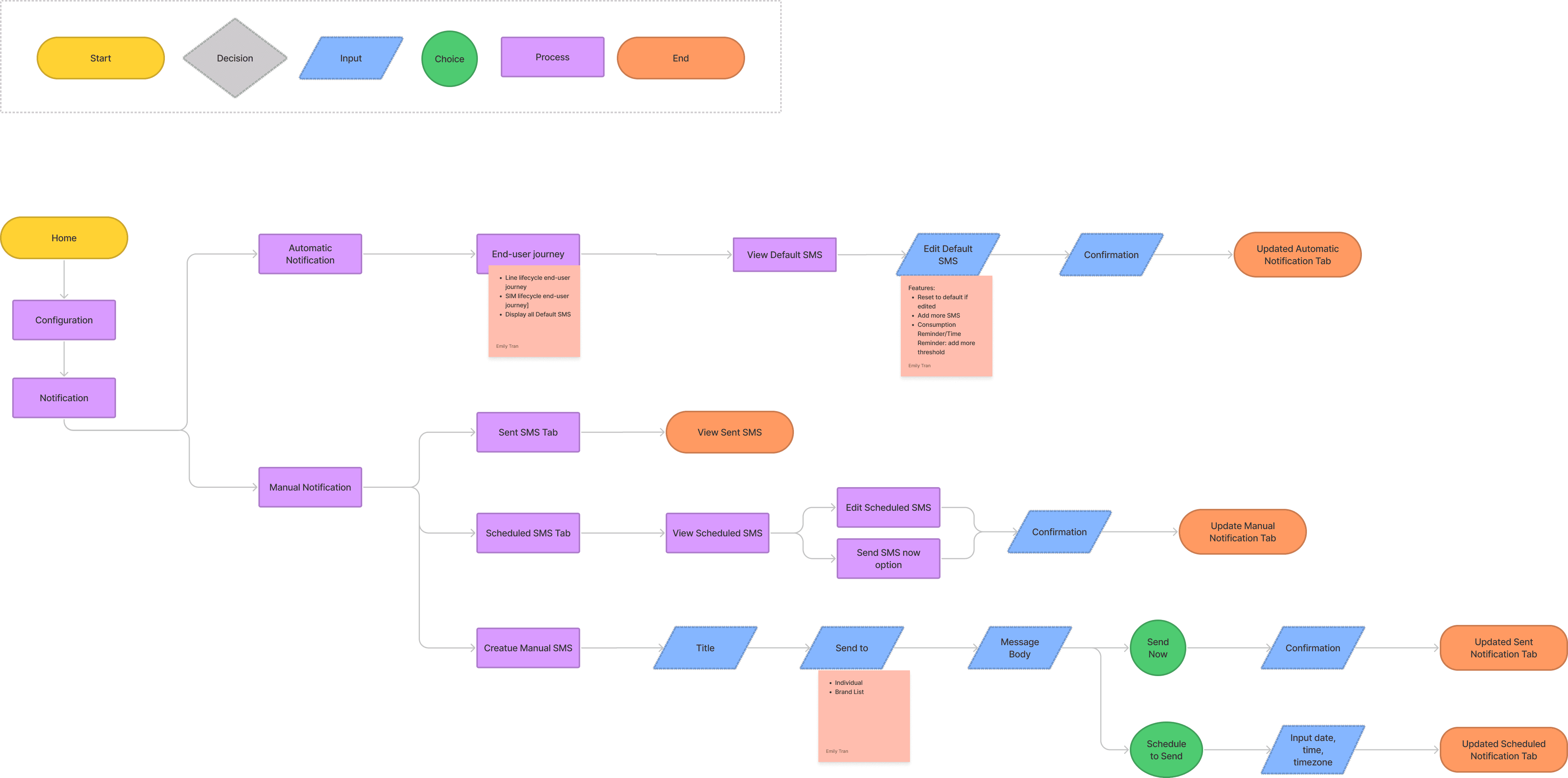
The userflow was determined, reviewed, and updated many times throughout the design process. Below is the final userlow which was determined and defined to reflect all of the solution requirements of the final deliverables.
NG-ZORRO | Ant Design System
OXIO is currently using NG-ZORRO, an Angular UI component library, for the BrandVNO Web Portal. Therefore, Ant Design System for Figma is used for prototyping. With an established UI component library being built, wireframing was skipped, and the design reviews within the Product Team internally were mainly focused on the user-flows. Below is a peak of the Ant Design System in Figma.

Medium fidelity prototype & Usability testing
Tasks participants were asked to performs
Testing documentation
The testing documentation is displayed in sticky notes for more transparent review. The star icon on some notes is an indication of highlights that would be considered carefully and applied to the next UI updates.

Cluster the results
The results are grouped and clustered to find patterns between all of the sticky notes. This exercise played an important role in determining and prioritizing the design changes for high fidelity prototype.

Summary of updates
Add multi-language support: English and Spanish
Differentiate between line and plan SMS
Cards of SMS converted to be clickable. When clicked, view mode would be the primary view.
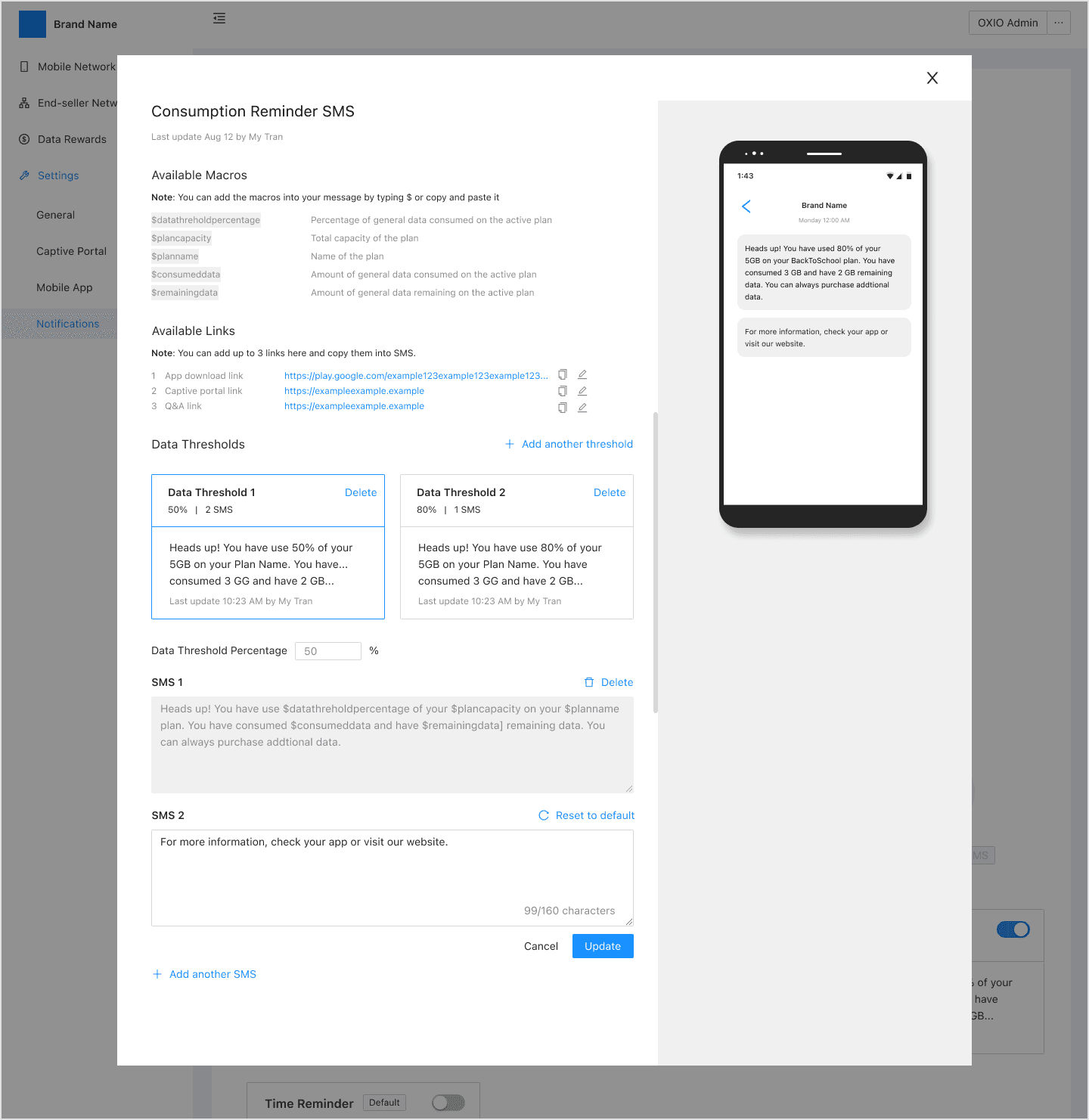
Reminder SMS will have the "Add another threshold" option meaning the user can set up to 3 threshold percentages, e.g: 90%, 80%, and 60%.
Within each threshold, there will be "Add another SMS" to let the end-user configure more than 1 message for the threshold.
Draft Bulk SMS feature will be removed due to pollution in the notification system plus technical constraints
High fidelity
Due to the heavy volume and the complexity of the design, the high fidelity is displayed here under User Stories which would help the flows much easier to understand. There are two sections of the User Stores: Automatic Notification and Manual Notification.
Automatic Notification - Before & After
User story 1
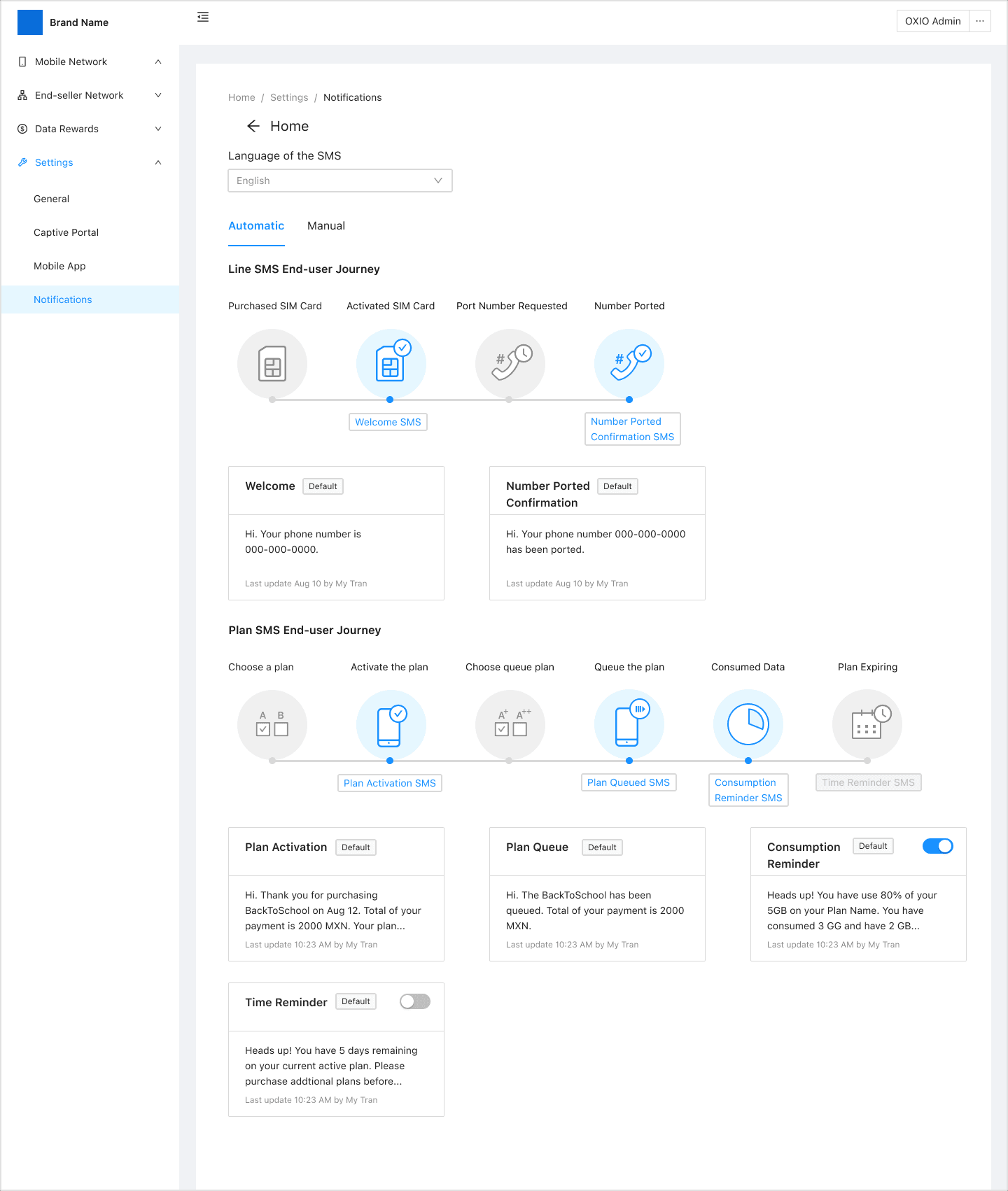
As an OXIO or Brand Admin, I want to be able to view all notifications in Line and Plan cycles in multiple languages.
User story 2
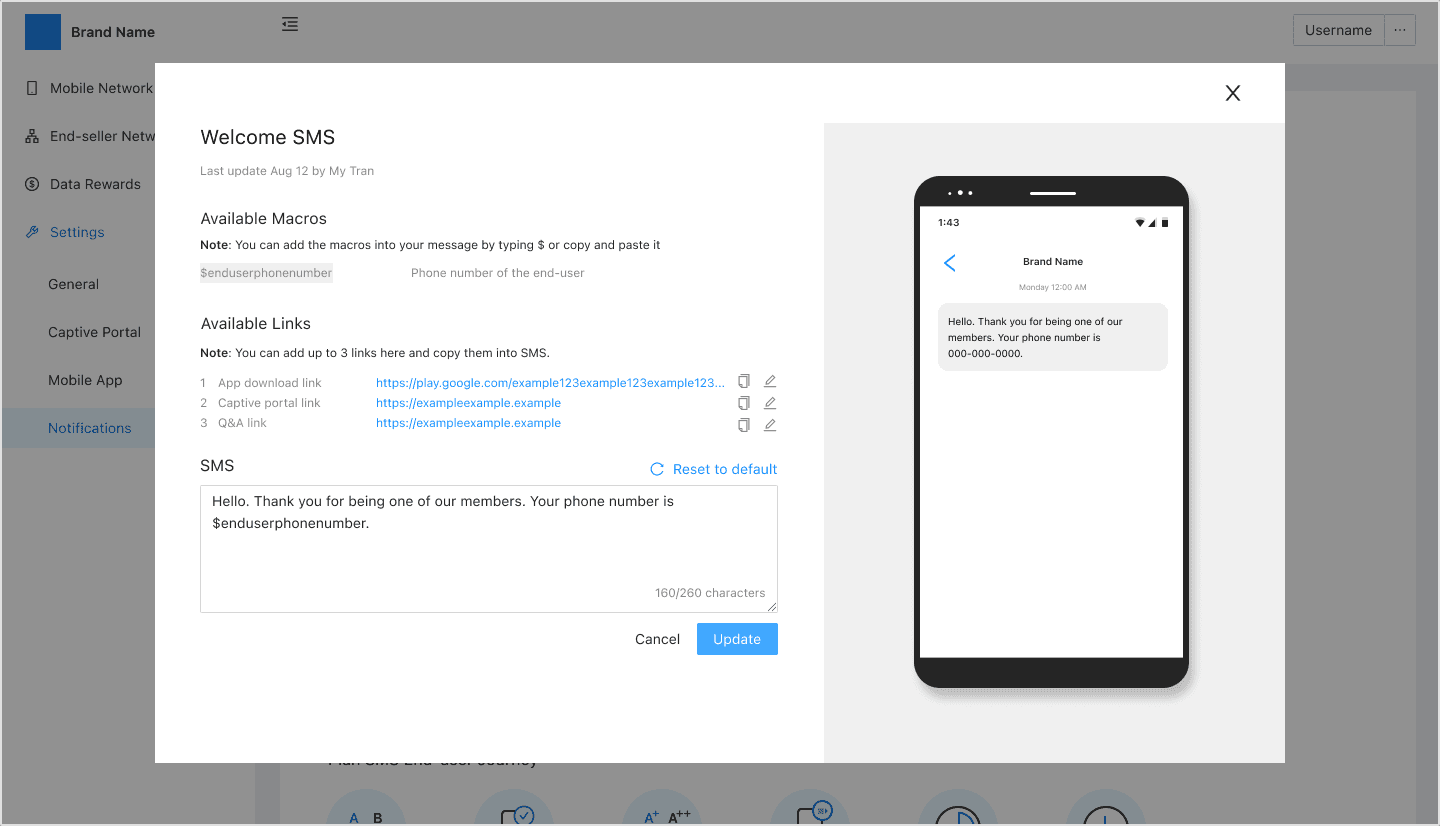
As an OXIO Admin or Brand Rep, I want to be able to update any of the default notifications.
User story 3
As a Brand Rep, I would like to be able to update the parameters of the default Time Reminder SMS.

User story 4
As a Brand Rep, I would like to be able to update the parameters of the default Time Reminder SMS.

User story 5
As a Brand Rep, I would like to be able to update the parameters of the default Consumption Reminder SMS.
Manual Notification
User story 6
As an OXIO or Brand Admin, I want to be able view and keep recorded of all SMS.

User story 7
As an OXIO or Brand Admin, I want to create a manual SMS to send now.

User story 8
As an OXIO or Brand Admin, I want to schedule a manual SMS to send later.

Skateholder Reviews
The high-fi prototype then got shared with the internal product team, FE, BE, and other stakeholders to get more design feedback. This is the phrase where additional design reviews are conducted upon some of the members that have well knowledge of this feature.

Final Deliverables
This is the final prototype that covers all of the product requirements which satisfy all of the listed above user stories. The prototype includes additional UI scenarios, for example: return error messages or confirmation modals. It is also clickable, so please explore as you wish.

Future Works
The top-up (add-ons, such as extra data roaming, extra minute calling, etc) process currently in place is not in line with the market expectations. This is causing confusion amongst end-users and leading them to believe top-up at local stores is likely not possible. This is contributing to lowering end-user retention. Therefore, the next step for the OXIO Notification Management feature is to support automatic instore cash top-up through the SMS delivering channel to minimize the required end-user input and lead to a higher end-user retention.
User story 3