Disclaimer: This content is unclassified and has been shared within Combined Space Operations CSpO allies (US, UK, Canada, Australia, and New Zealand). It includes sensitive military context with high-risk implications for national space security and is intended for restricted circulation. Please refrain from further distribution.
Phase 3 - GEO Tracker
The design process of the new Geostationary Orbit (GEO) Tracker: A live, continuous picture of the GEO belt: where Canadian satellites and adversary satellites are, and what's moving too close to something that matters. This phase will gave analysts real-time orbital awareness inside Space C.O.P for the first time.
Discovery
A structured discovery workshop was run with operators and stakeholders to understand what GEO tracking actually meant to the people who needed it. Three questions anchored the session
What is it?
GEO definition from SDA's povs
The needs?
In what scenarios SDA needs this tracker
What first?
Which features should be prioritized first?

Workflow Mapping
Current flow
Multiple tools and manual scripts
Ideal flow
One page. Capture, compare, track, report. Done.

Usability Testing
Mid-fi prototypes were created based on Ui elements from implemented pages. Then two rounds of usability testing were run with SDA operators across the GEO features, with sessions focused on task completion, information findability, and whether the interface matched how analysts actually reasoned about satellite proximity.
What was tested?
Satellite detail retrieval without guidance
"Needs Attention" flagging flow end to end
Filter panel against operator mental models
Search by name, country, and CAT ID
Comparison panel for briefing sufficiency
Notifications panel order and relevance
Key Findings
Operators anchored to the map first, not the sidebar
"Needs Attention" flag was clear but operators wanted visibility on who else could see it
"Favourites" filter was immediately understood as a way to surface Canadian and allied assets
CAT ID search was missing, operators often had the ID before the name
Comparison panel was the most valued feature but needed real-time distance updates
Notifications needed filtering by event type: conjunctions, status changes, and re-entries carry different urgency
GEO Tracker Deliverables
GEO Map and satellite details, "Needs Attention" satellite flagging flow, sat filters, search, compare, and notifications features.
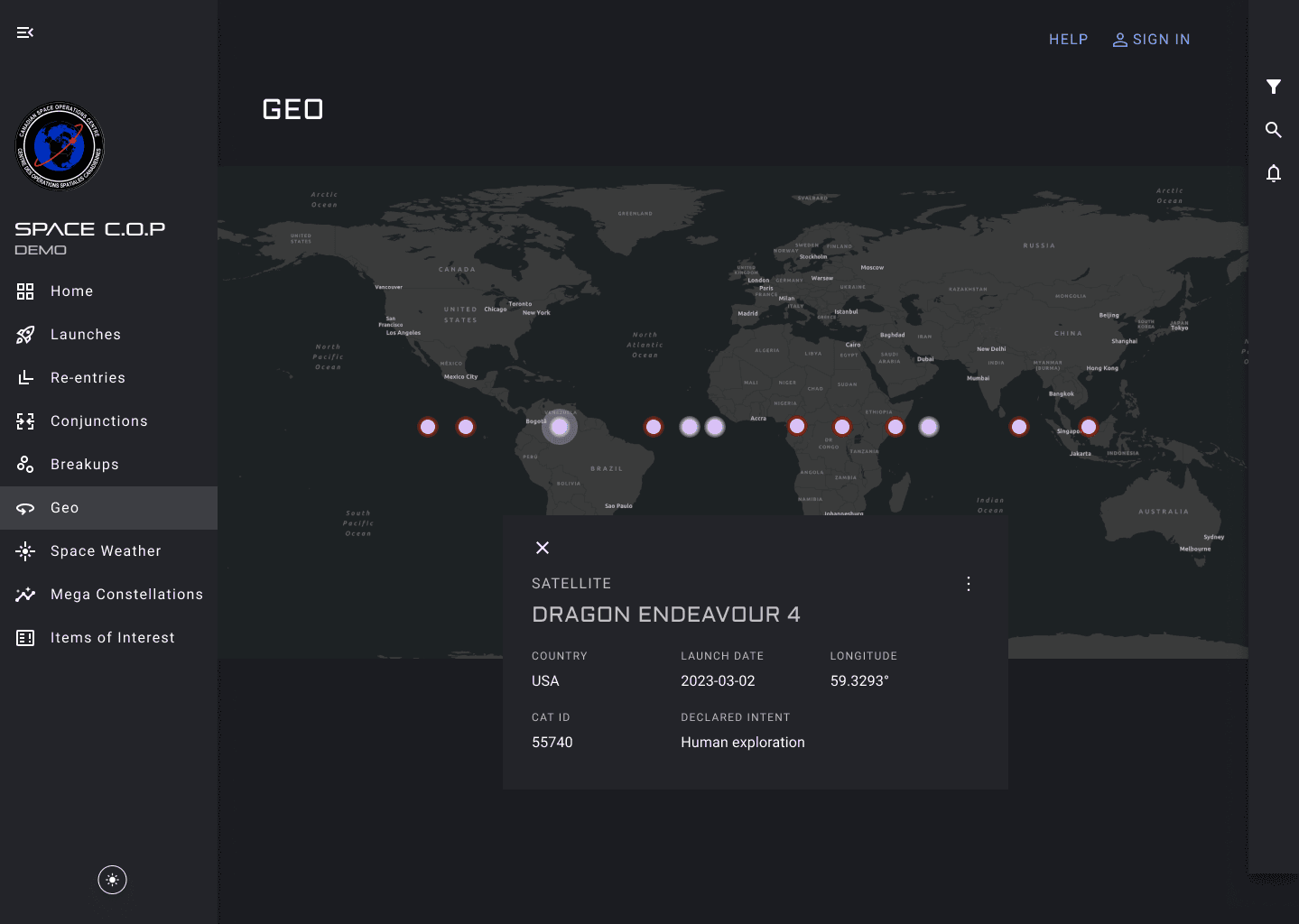
Sat Details

"Needs Attention" Sat Flag

Sat Filters

Search Sat

Sats Comparison

Notifcations
Success Metrics
30%
Increase reporting efficiency
40%
Reporting time reduction
85%
Operator adoption rate
Next Phase: Commander Dashboard
Discovery
Phase 4 brought commanders into the room. A quick workshop mapped out what leadership actually needed: a global map of alerts, attention items at a glance, and a big-picture view across LEO, GEO, and MEO. Ground station awareness surfaced as a key gap. When a Canadian asset relies on a ground station, any disruption becomes a command-level problem.

WIP Commander Dashboard Design

Conclusion
Satellites. Collision alerts. A General's command dashboard. Military analysts making real-time decisions in a control room. Live data in orbital intelligence. National security stakes. Not a typical engagement at all. In fact, it was the COOLEST project I've ever worked on!